Introducing ContextStore: a native Mac app for context repositories

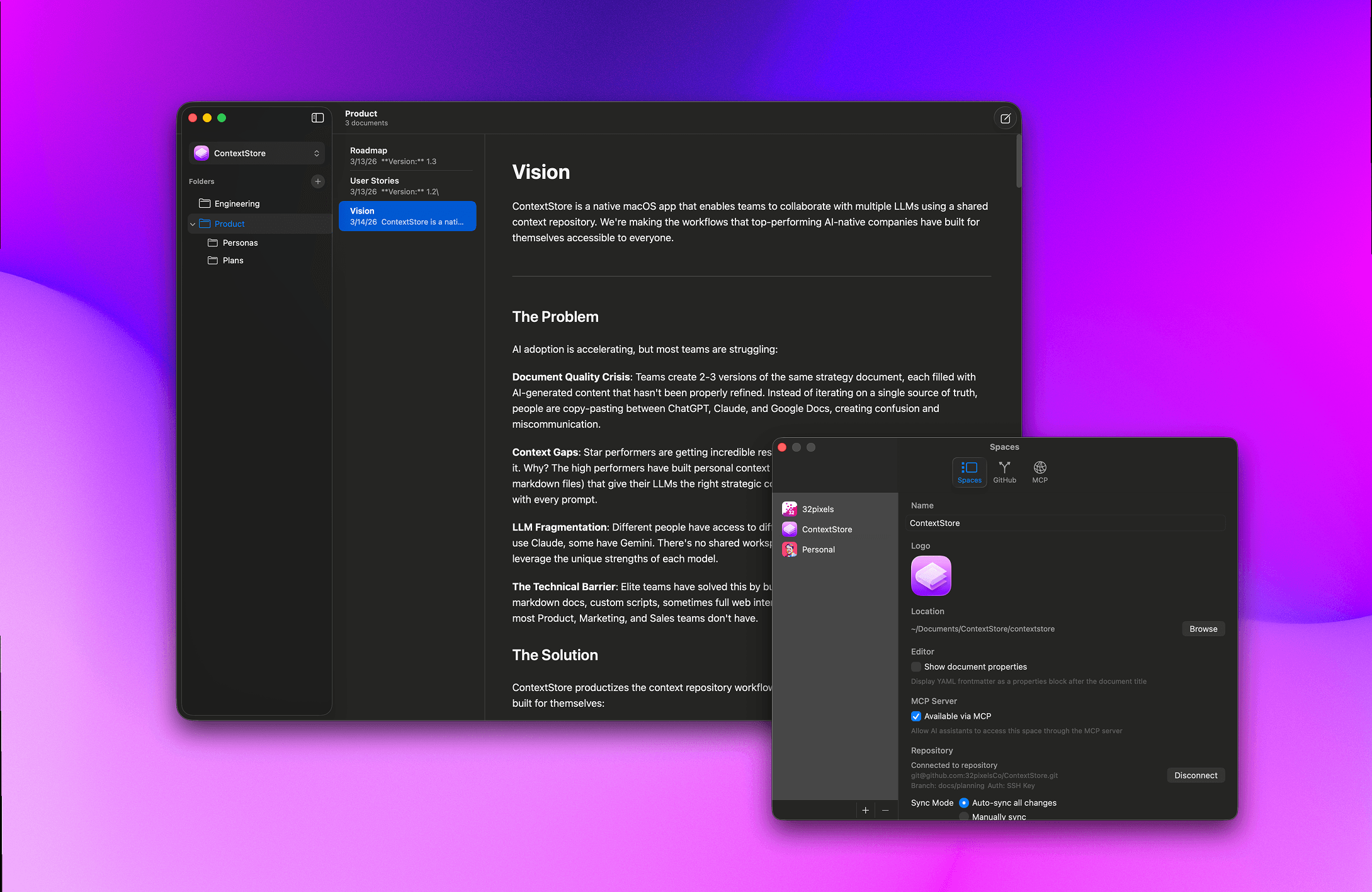
Most of the way people work with AI today is through prompts. But there's only so much you can cram into a prompt. Simple prompts lead to sub-par results that require lots of iteration to get right. Not because AIs aren't intelligent, but because you haven't shared the full context of what you're working on with them.
Just like you wouldn't onboard a new employee without giving them access to critical documents — product requirements, marketing guidelines, customer profiles — you need to give AIs the right context to make good decisions. I wrote about this idea last week and called it a context repository.
The problem is that documents are often locked away in places where AIs can't get to them. Google Docs, Notion, Confluence. You can work around this with connectors and MCPs and all kinds of technical solutions, but it turns out the best way to do this is with a folder full of Markdown files. Markdown is plain text, making it easy for AIs to read and modify. It consumes fewer tokens. And if you want to truly collaborate with AIs on documents, it's the best format.
But not everyone knows Markdown. And there aren't easy ways to share it.
I started working on a Mac app for this back in January. I've been building nights and weekends ever since, fitting it in around my full-time work at Gierd. Today, I'm announcing ContextStore — a native Mac app for creating and managing context repositories. It's in beta and I'm looking for testers.
ContextStore gives you a Markdown editor, documents organized into Spaces and Projects, and automatic GitHub sync. No terminal or fancy technical tools needed. You write, and your context repository stays current. One app, designed so anyone on your team — technical or non-technical — can create and edit content.
Three principles drove the design. First, it's local-first. Your documents live on your machine as plain Markdown files. No cloud service between you and your data. Second, it's GitHub-native. Connect a Space to a repo and ContextStore commits and pushes automatically. Merge conflicts get a visual resolution panel — no rebasing required. Third, there's no lock-in. It's Markdown all the way down. Your context repository works with Claude Code, Cursor, Copilot, ChatGPT — anything that reads files.
I've been dogfooding ContextStore to manage the planning documents for ContextStore itself — vision, roadmap, customer profiles, competitive analysis. When I sit down with Claude Code to work on a feature, the agent reads the context repository and already knows what I'm building and why. No preamble. It just works.
If you're looking for a better way of working with AI, I'd love for you to try the beta.
Fill in your details below to join the Beta! 👇
Sign up for the beta
This is a limited beta and I'm bringing people on gradually. Signing up does not guarantee access, but I'll do my best to get you in.
Comments
You might also like…
Give your AI the full picture with a context repository
John LongAIPoor AI output usually isn't a prompting problem, it's a context problem. A context repository gives your AI the business knowledge it needs to make good decisions. Here's how to build one.

Make your AGENTS.md a table of contents
John LongAIMost AGENTS.md files try to do too much. Treat yours as a table of contents — link to essential docs, let your LLM know where to look, and keep the file itself short and scannable.

The hidden cost of remote MCPs
John LongAIRemote MCPs add a round-trip tax every time your AI needs context. Local Markdown files are faster, cheaper, and more reliable. Here's why that matters.

If software becomes ephemeral
John LongAIWhen software can be conjured from a conversation, the real differentiator won't be the code — it'll be the taste, the brand, and the vision behind it.